

Supported payment methods
Integration shows how the buyer pays:- Direct: you send card or bank account details through Gr4vy, using Embed, Secure Fields, or the API. Gr4vy stores bank accounts. See Bank payments.
- Redirect: the buyer completes the payment on the provider’s page, and the provider keeps their details.
- Redirect or SDK: as redirect, or you can use the provider’s own SDK or components in place of the redirect. See the method’s page.
Setup
Braintree provides a self-service sign-up for a sandbox account. To sign up for an account visit the sign-up page and fill in the details.Credentials
When setting up Braintree in the dashboard, configure the following credentials, which are obtained from the Braintree Admin Portal:Merchant ID
The Braintree Merchant ID can be found in the Braintree Admin Portal under the Settings -> Business -> Merchant Accounts tab.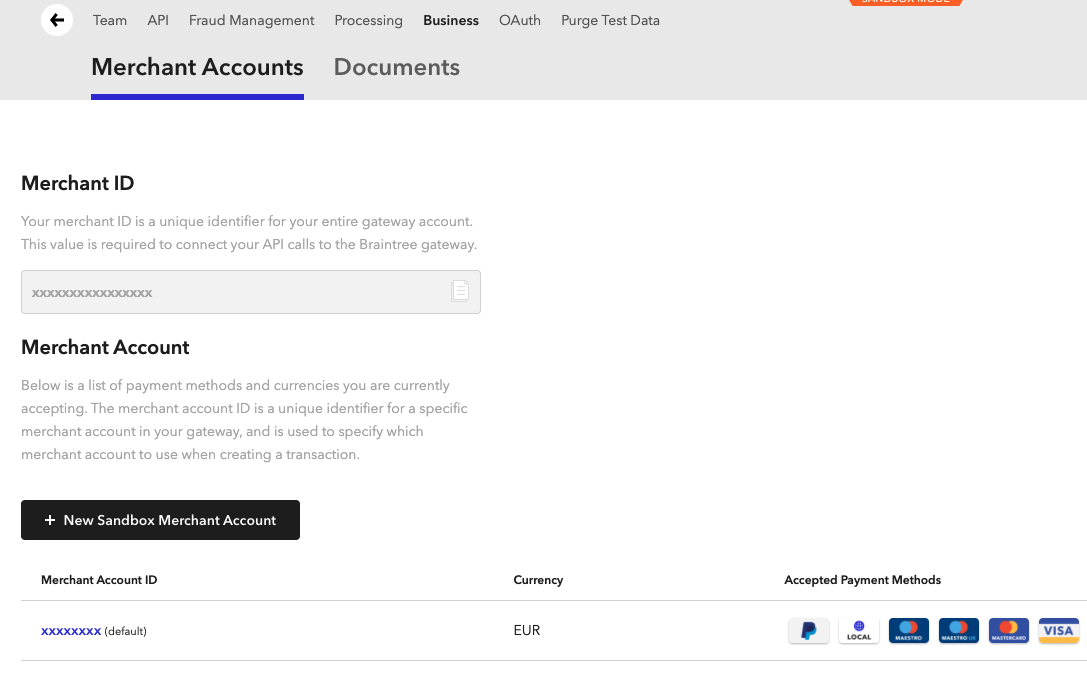
Braintree
Merchant account ID
The Braintree Merchant Account ID can be found underneath the Merchant ID in the Braintree Admin Portal under the Settings -> Business -> Merchant Accounts tab.Public key
The Braintree Public Key can be found in the Braintree Admin Portal under the Settings -> API -> Keys tab.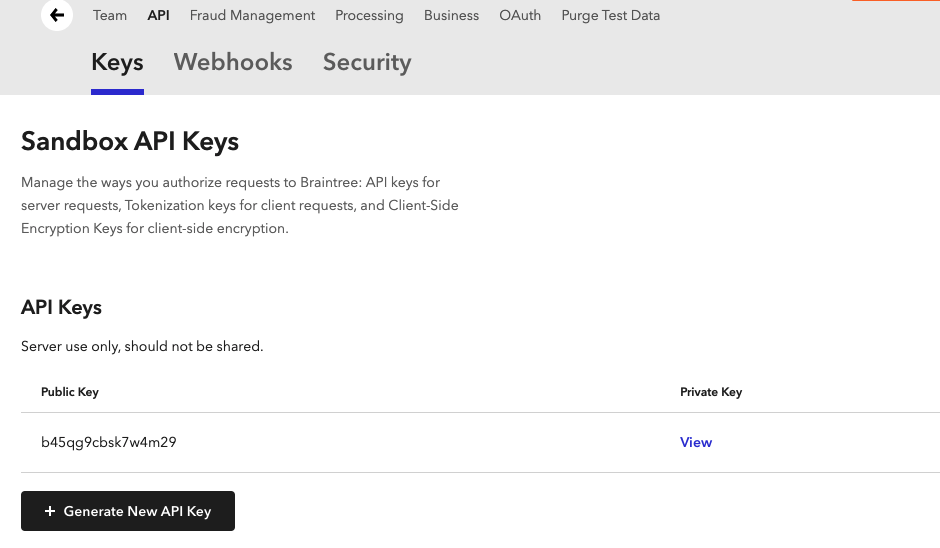
Braintree Keys