> ## Documentation Index
> Fetch the complete documentation index at: https://docs.gr4vy.com/llms.txt
> Use this file to discover all available pages before exploring further.
# Anti-fraud reviews
> Manually reviewing anti-fraud decisions
Some anti-fraud services may hold a transaction in review. If your chosen anti-fraud service supports this feature then you
can enable manual reviews as part of the payment flow. This pauses a transaction and waits for the result of the
review before proceeding.
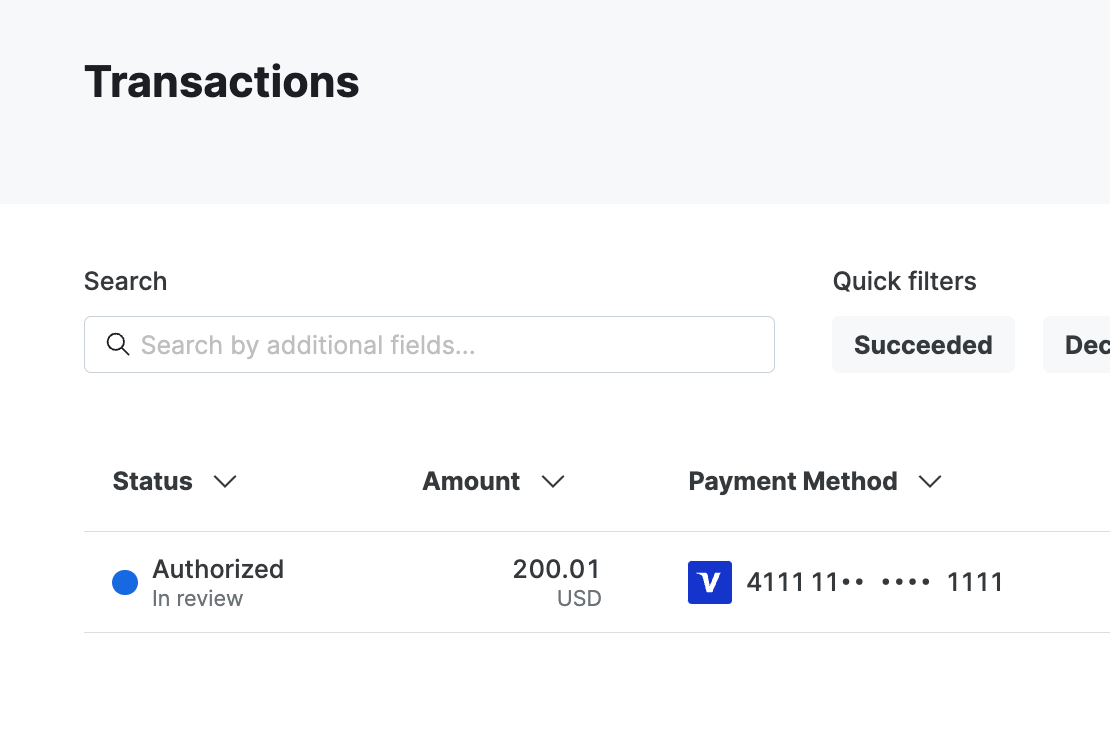 When a transaction is marked for review the following steps are performed.
* The transaction request is accepted
* A call is made out to the anti-fraud service to fetch a decision
* When the service requires a manual review, the transaction is marked as pending review
* The transaction is authorized but does not continue to capture
* When a support agent reviews the transaction a webhook is received
* The pending review status is removed from the transaction
* Either capture proceeds if that was the original intent, or the transaction is voided if it was rejected
## Supported connections
The following anti-fraud services currently support manual reviews.
* Cybersource Decision Manager
* Sardine
* Sift
## Set up webhooks
To enable manual review you need to set up webhooks from your anti-fraud service to the system. This webhook is used
to notify when a review has had a decision.
To get the webhook URL, head over to your connection by going to **Connections** -> **\[Anti-Fraud connection]** -> **Synchronization** and copying the webhook URL.
Then follow the guide for your chosen anti-fraud service to set up the webhook in their dashboard.
## Webhooks during a review
While a transaction waits for a review decision, its transaction webhooks have
`pending_review` set to `true`. The webhooks you receive next depend on the decision and
on the state of the transaction when the decision arrives.
| Decision | When the decision arrives | Webhooks you receive |
| :- | :- | :- |
| Accept | After authorization, with `intent` set to `authorize` | `transaction.review-accepted`. The status doesn't change, and `pending_review` is `false`. |
| Accept | After authorization, with `intent` set to `capture` | The capture events, such as `transaction.captured`. No `transaction.review-accepted` event is sent. |
| Accept | Before authorization completes, for example during a 3-D Secure challenge | No separate event. The next transaction event, such as `transaction.authorized`, has `pending_review` set to `false`. |
| Reject | After authorization | The authorization is voided, and you receive the void events, such as `transaction.voided`. |
| Reject | After the transaction was captured | The transaction is refunded, and you receive the `refund.*` events. |
| Reject | While the buyer completes a 3-D Secure challenge | `transaction.declined`. |
When `transaction.authorized` has `pending_review` set to `false`, no review is outstanding.
When it's `true`, wait for one of the events in the table before you fulfill the order.
The transaction's `anti_fraud_decision` keeps its original `review` value after the review
is resolved, so use `pending_review` to track the review. The `anti_fraud_decision` field is
available when you [get the transaction](/reference/transactions/get-transaction), but isn't
included in webhooks.
This documentation is built and hosted on [Mintlify](https://mintlify.com), a developer documentation platform.
When a transaction is marked for review the following steps are performed.
* The transaction request is accepted
* A call is made out to the anti-fraud service to fetch a decision
* When the service requires a manual review, the transaction is marked as pending review
* The transaction is authorized but does not continue to capture
* When a support agent reviews the transaction a webhook is received
* The pending review status is removed from the transaction
* Either capture proceeds if that was the original intent, or the transaction is voided if it was rejected
## Supported connections
The following anti-fraud services currently support manual reviews.
* Cybersource Decision Manager
* Sardine
* Sift
## Set up webhooks
To enable manual review you need to set up webhooks from your anti-fraud service to the system. This webhook is used
to notify when a review has had a decision.
To get the webhook URL, head over to your connection by going to **Connections** -> **\[Anti-Fraud connection]** -> **Synchronization** and copying the webhook URL.
Then follow the guide for your chosen anti-fraud service to set up the webhook in their dashboard.
## Webhooks during a review
While a transaction waits for a review decision, its transaction webhooks have
`pending_review` set to `true`. The webhooks you receive next depend on the decision and
on the state of the transaction when the decision arrives.
| Decision | When the decision arrives | Webhooks you receive |
| :- | :- | :- |
| Accept | After authorization, with `intent` set to `authorize` | `transaction.review-accepted`. The status doesn't change, and `pending_review` is `false`. |
| Accept | After authorization, with `intent` set to `capture` | The capture events, such as `transaction.captured`. No `transaction.review-accepted` event is sent. |
| Accept | Before authorization completes, for example during a 3-D Secure challenge | No separate event. The next transaction event, such as `transaction.authorized`, has `pending_review` set to `false`. |
| Reject | After authorization | The authorization is voided, and you receive the void events, such as `transaction.voided`. |
| Reject | After the transaction was captured | The transaction is refunded, and you receive the `refund.*` events. |
| Reject | While the buyer completes a 3-D Secure challenge | `transaction.declined`. |
When `transaction.authorized` has `pending_review` set to `false`, no review is outstanding.
When it's `true`, wait for one of the events in the table before you fulfill the order.
The transaction's `anti_fraud_decision` keeps its original `review` value after the review
is resolved, so use `pending_review` to track the review. The `anti_fraud_decision` field is
available when you [get the transaction](/reference/transactions/get-transaction), but isn't
included in webhooks.
This documentation is built and hosted on [Mintlify](https://mintlify.com), a developer documentation platform.